Navigation Check [Car-Navigation System]
NAVIGATION CHECK [CAR-NAVIGATION SYSTEM]
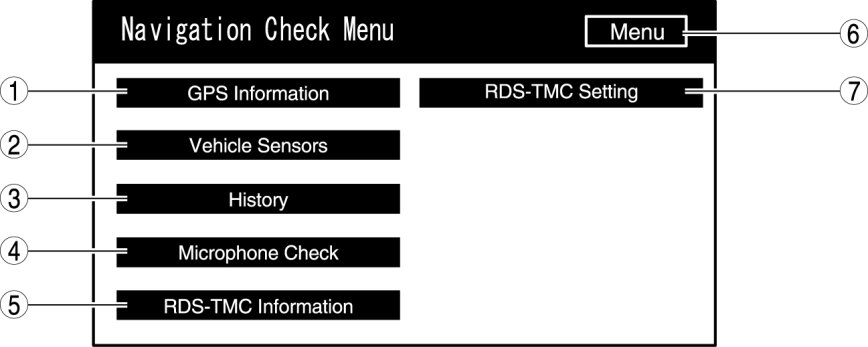
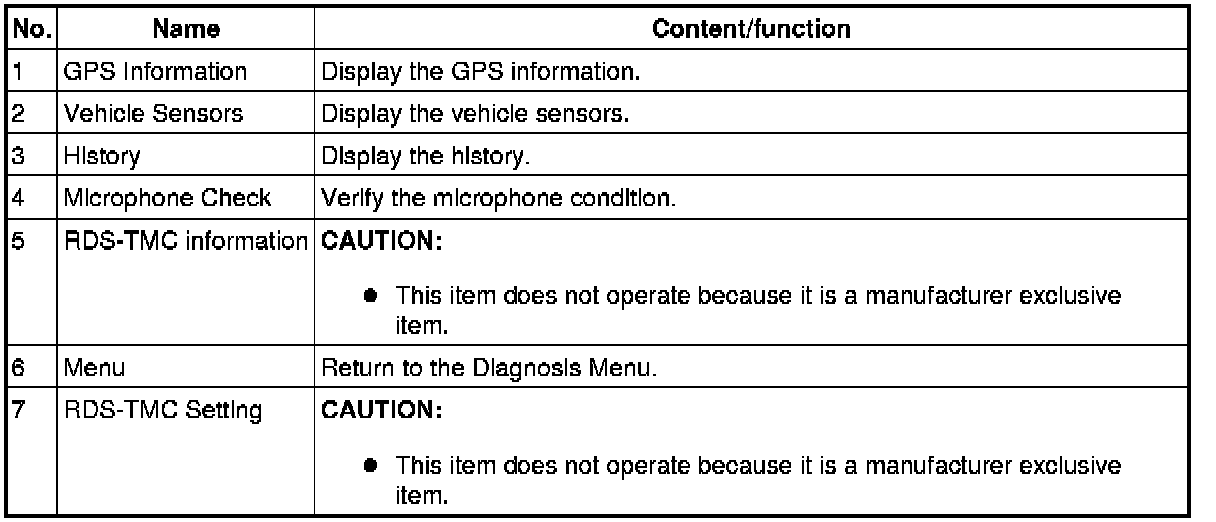
Inspection item list
GPS Information
1. Switch the ignition to ACC or ON.
2. Launch the diagnostic mode. Starting Procedure For Diagnostic Mode [Car-Navigation System]
3. Select "Navigation Check".
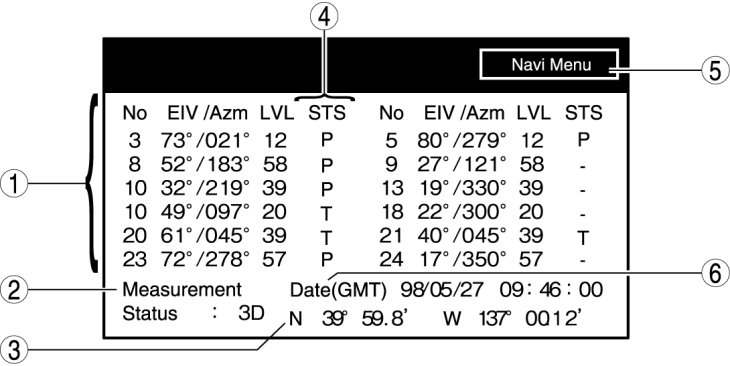
4. Select "GPS Information".
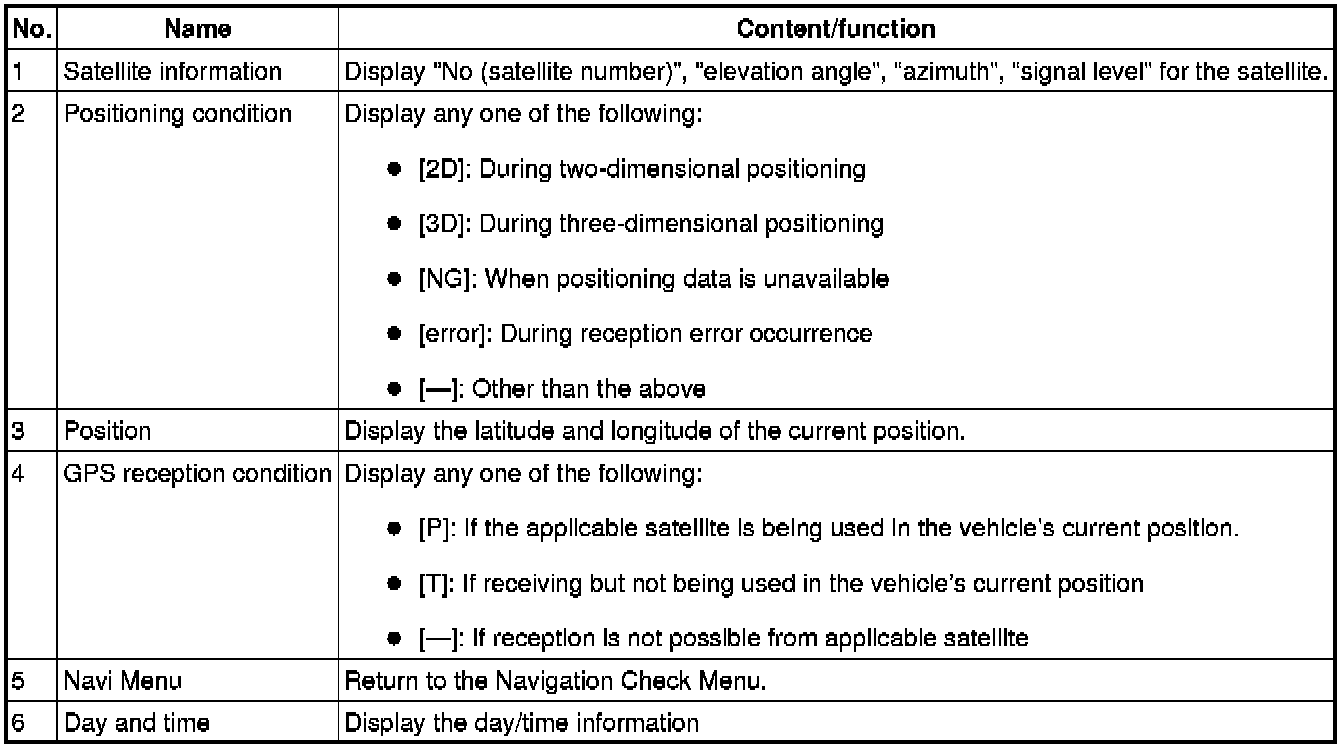
5. Verify the GPS information.
NOTE:
- The GPS reception signal is updated every 1 s.
6. To stop the on-board diagnostic mode, switch the ignition to off.
Vehicle Sensors
1. Switch the ignition to ACC or ON.
2. Launch the diagnostic mode. Starting Procedure For Diagnostic Mode [Car-Navigation System]
3. Select "Navigation Check".
4. Select "Vehicle Sensors".
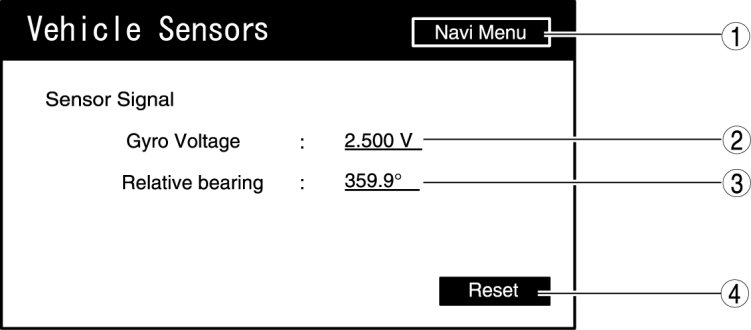
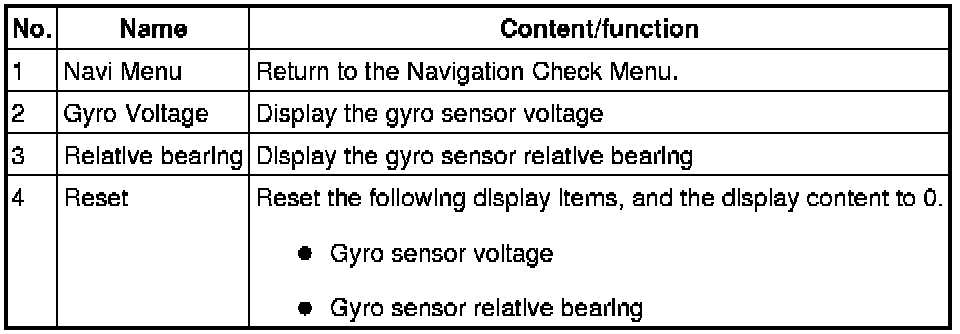
5. Verify the sensor output condition of the sensor being input to the car navigation unit.
NOTE:
- The vehicle signal is updated every 1s.
6. To stop the on-board diagnostic mode, switch the ignition to off.
History
1. Switch the ignition to ACC or ON.
2. Launch the diagnostic mode. Starting Procedure For Diagnostic Mode [Car-Navigation System]
3. Select "Navigation Check".
4. Select "History".
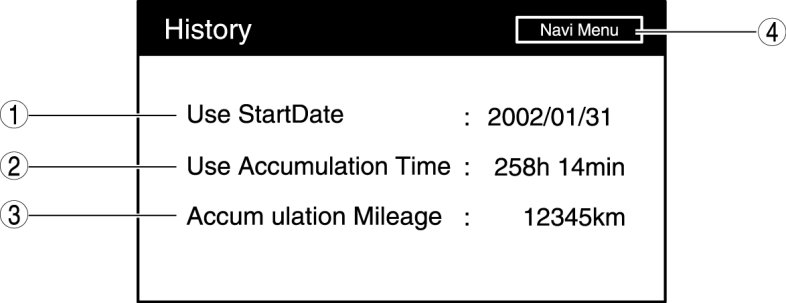
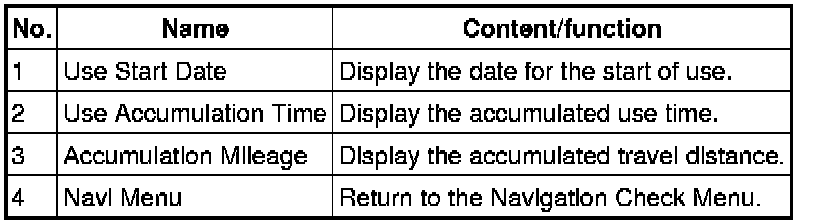
5. Verify the displayed content.
6. To stop the on-board diagnostic mode, switch the ignition to off.
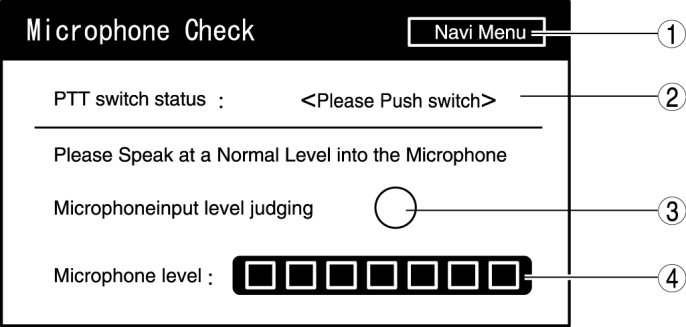
Microphone Check
1. Switch the ignition to ACC or ON.
2. Launch the diagnostic mode. Starting Procedure For Diagnostic Mode [Car-Navigation System]
3. Select "Navigation Check".
4. Select "Microphone Check".
5. Verify the microphone input condition.
6. To stop the on-board diagnostic mode, switch the ignition to off.