Navigation System: Description and Operation
REFERENCE INFORMATION [CAR-NAVIGATION SYSTEM]
Starting Procedure For Diagnostic Function
1. Turn the ignition switch to the on position.
2. Press the MENU switch.
3. Select "Navigation Set Up".
4. Select "Calibration".
5. Select "Map Version".
6. Press upper left of screen 2 times, then press lower left of it 2 times.
7. Press "Menu" button of "Diagnosis Check" screen.
8. Perform following procedures according to the purpose of the check item.
If inspect vehicle condition signals:
- Select "Vehicle Signal".
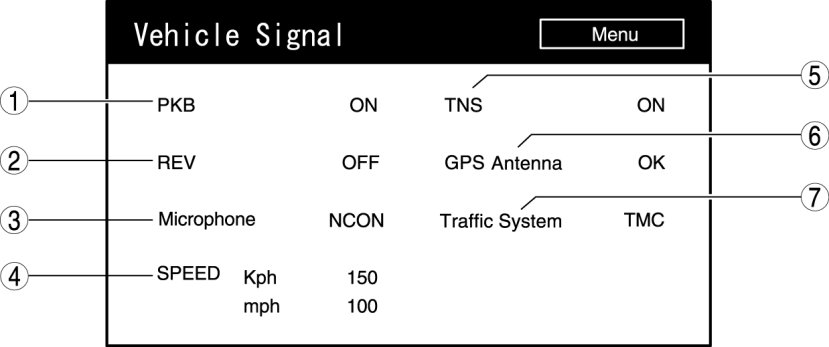
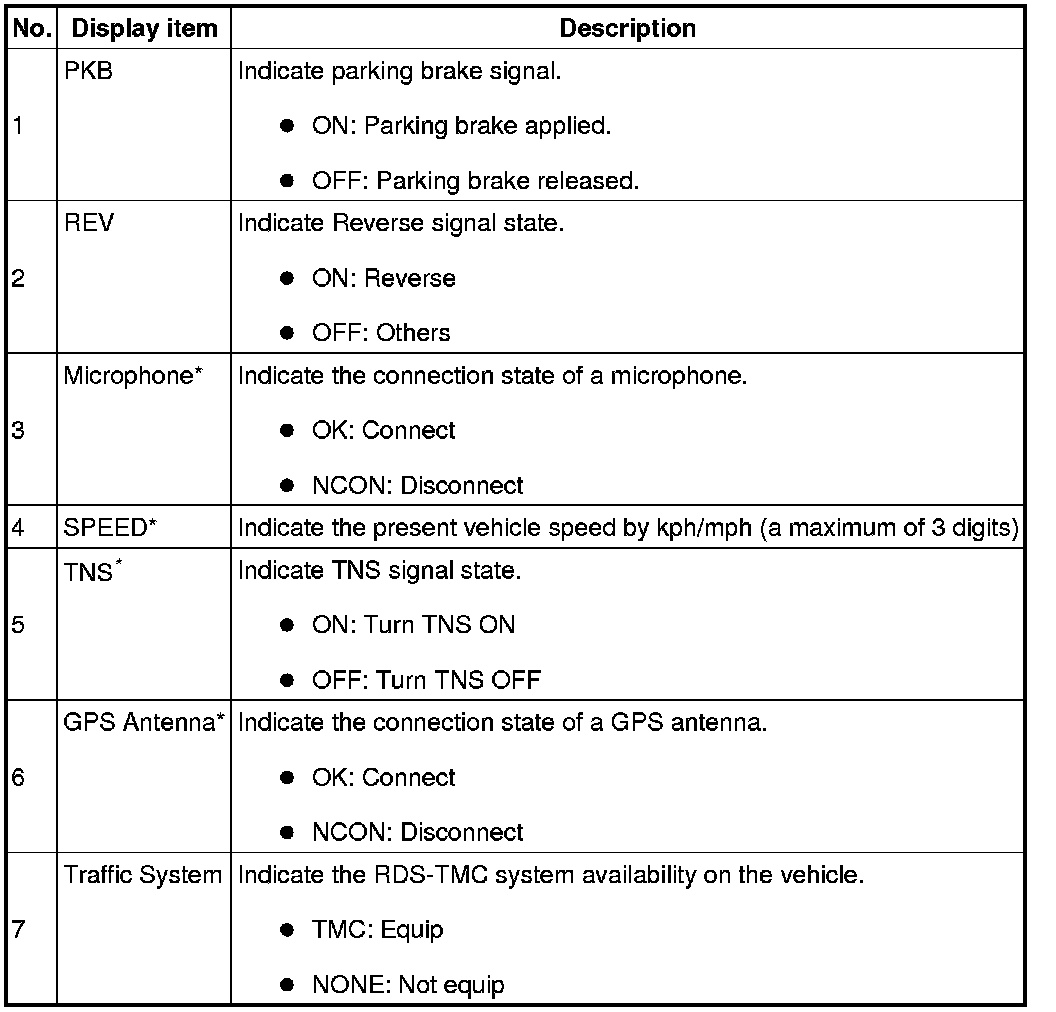
*
It is used for symptom troubleshooting. (Troubleshooting index No.4, No.5, No.7 and No.8)
If inspect microphone related signals:
1. Select "Navigation Check Menu".
2. Select "Microphone Check".
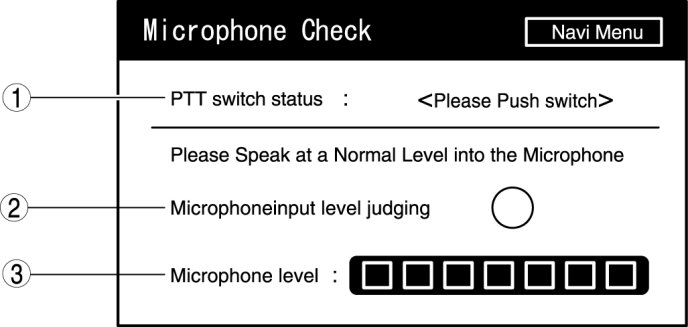
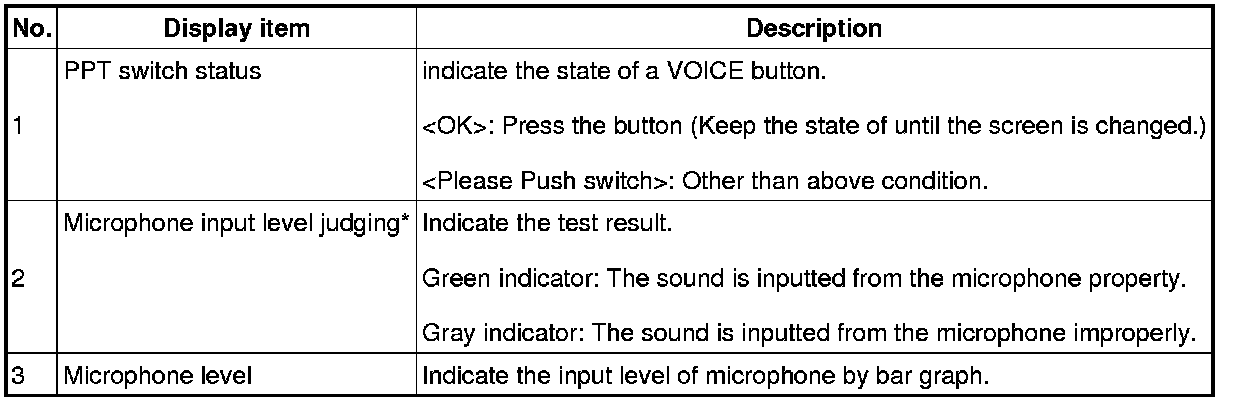
*
It is used for symptom troubleshooting. (Troubleshooting index No.8)
If inspect gyro sensor signals:
1. Select "Navigation Check Menu".
2. Select "Vehicle Sensors".
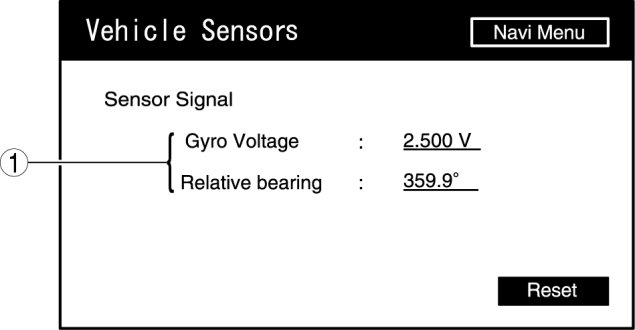
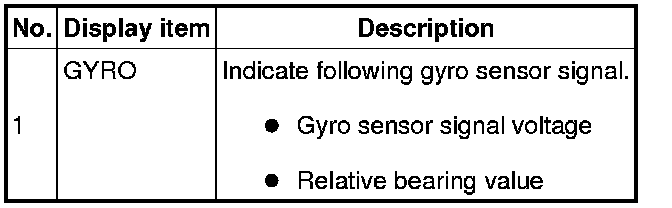
*
It is used for symptom troubleshooting. (Troubleshooting index No.5)