Programming and Relearning
AUTO LIGHT ILLUMINATION LEVEL SETTING
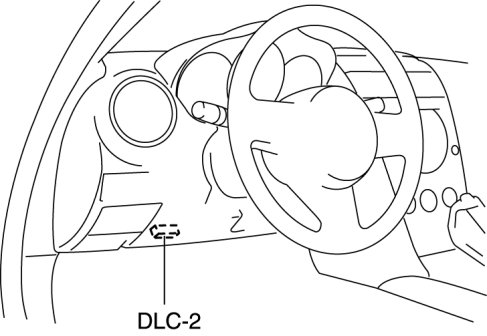
1. Connect the M-MDS to the DLC-2 connector.
2. After the vehicle is identified, select the following items from the initialization screen of the M-MDS.
- When using the IDS (laptop PC)
- Select "Module Programming".
- When using the PDS (Pocket PC)
- Select "Programming".
- Select "Module Programming".
3. Then, select items from the screen menu in the following order.
- Select "Programmable Parameters".
- Select "Exterior Lighting".
4. Select "Low (Other)" or "Standard (Other)" on the M-MDS to set the illumination level.
NOTE:
- When the M-MDS is set to Low (Other), the auto-light sensor sensitivity decreases, and the TNS and headlight illumination timing is slower.