Operation
VDC Sequence ControlOPERATION
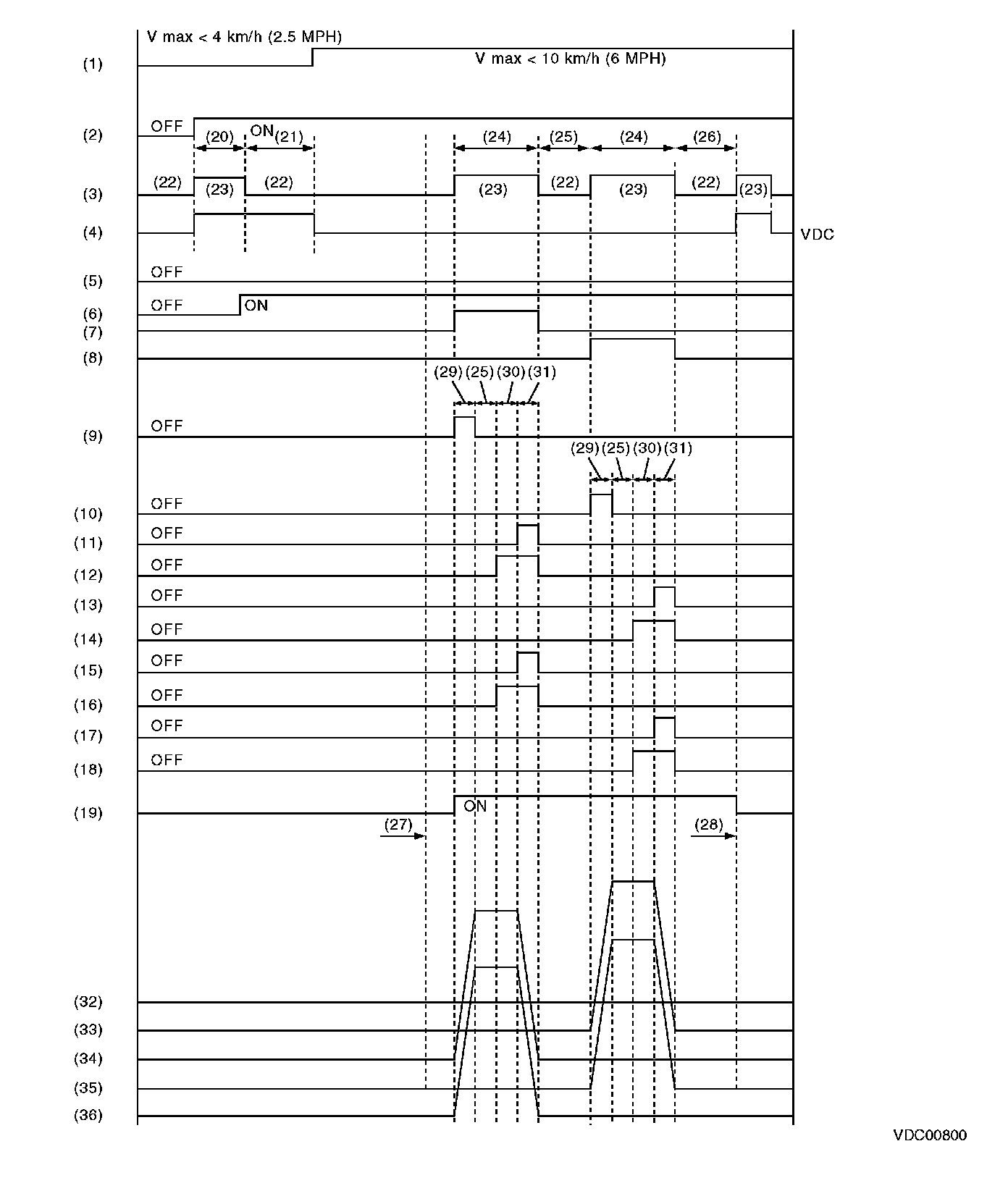
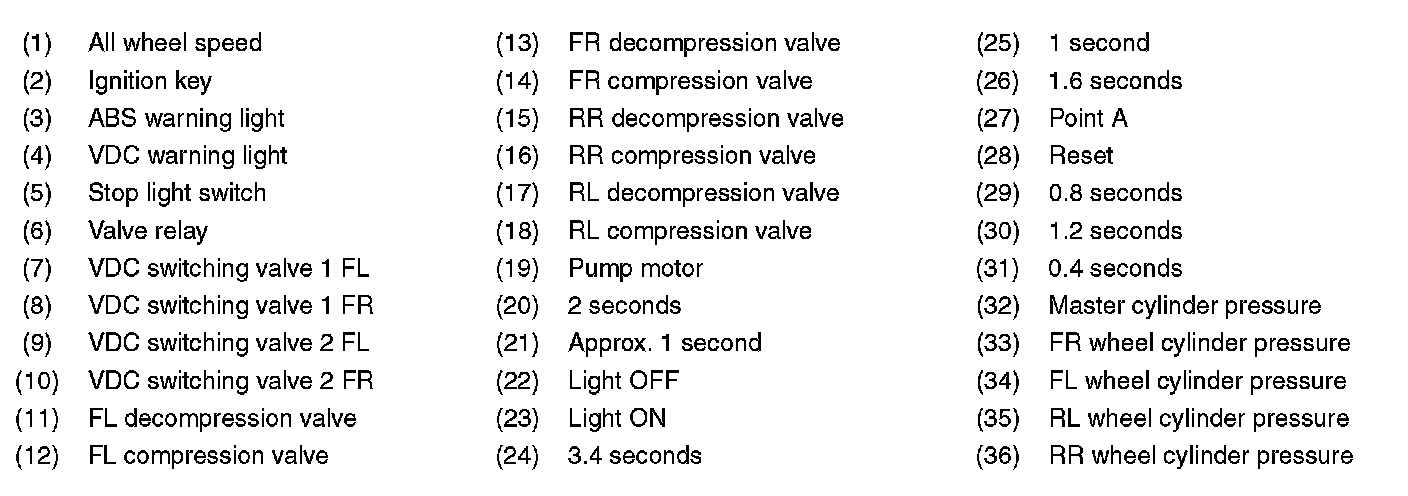
1) While the VDC sequence control is performed, the operation of the hydraulic unit can be checked using the brake tester or pressure gauge after the hydraulic unit solenoid valve is operated.
2) VDC sequence control can be started by Subaru Select Monitor.
VDC SEQUENCE CONTROL WITH SUBARU SELECT MONITOR
NOTE:
In the event of any trouble, sequence control will not operate.
1) Connect the Subaru Select Monitor to data link connector.
(1) Run the "PC application for Subaru Select Monitor".
(2) On [[Main Menu]] display, select {Each System Check}.
(3) Select {Brake Control System}. When {VDC} is displayed, select the [OK] button.
(4) Select the {VDC Function Check Mode} from {Function Check Sequence}.
2) Operate according to the procedures displayed in the Subaru Select Monitor.
3) The brake system being operated is displayed on the Subaru Select Monitor.
CONDITIONS FOR VDC SEQUENCE CONTROL
NOTE:
The control operation starts at point A.