Scan Tool Display Information
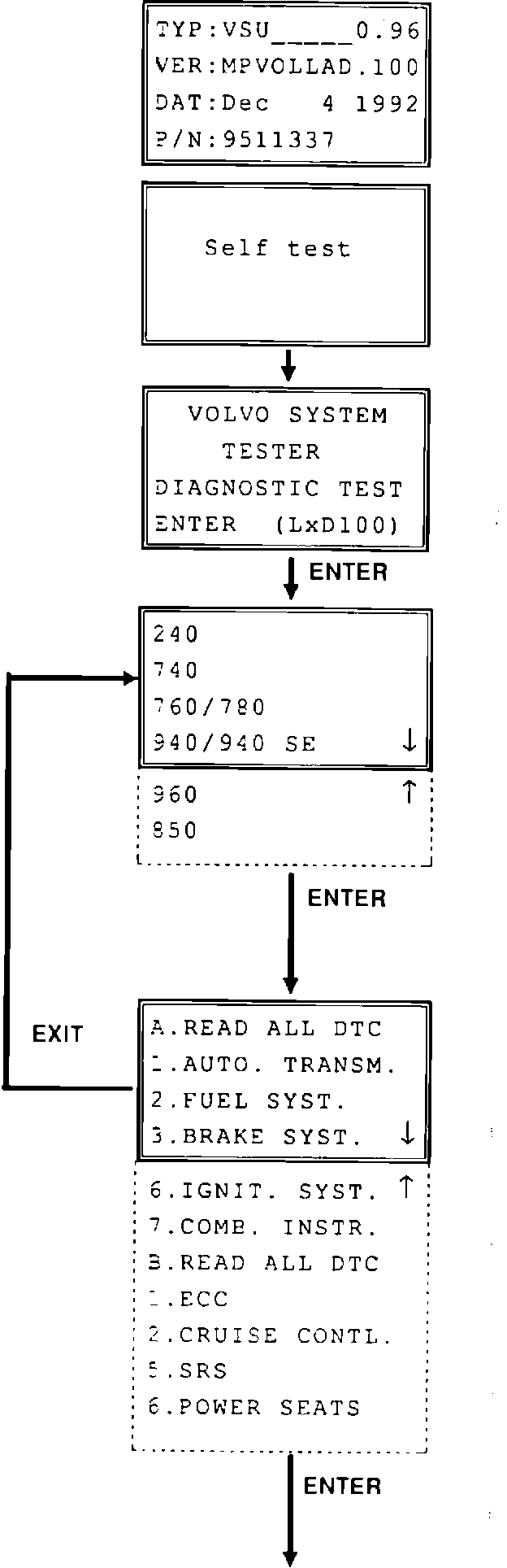
PROM data check (not performed when starting normally)
A1
Press up arrow key while power is switched on using adapter box switch.
Program cassette data are then displayed in window.
Press ENTER to continue.
A2
Each time VST is started, instrument automatically performs self-diagnostic test to check its PROM and other hardware.
A3
System identification Check display to ensure that correct memory cassette has been selected. (LxD 100) is version number, in which "x" indicates language. (A=American version; F= French version).
B1
Select model
Use arrow keys to move cursor to appropriate model. Arrow in lower right-hand corner indicates that there is further information which cannot be displayed due to lack of space. Text is scrolled up automatically when cursor reaches bottom line. If upward arrow is displayed in lower right-hand corner, text will be scrolled down when cursor reaches top line.
C1
Select system
Use arrow keys to move cursor to appropriate system.
Systems available depend on model selected from previous menu.
(Example shows menu for 850)
C2
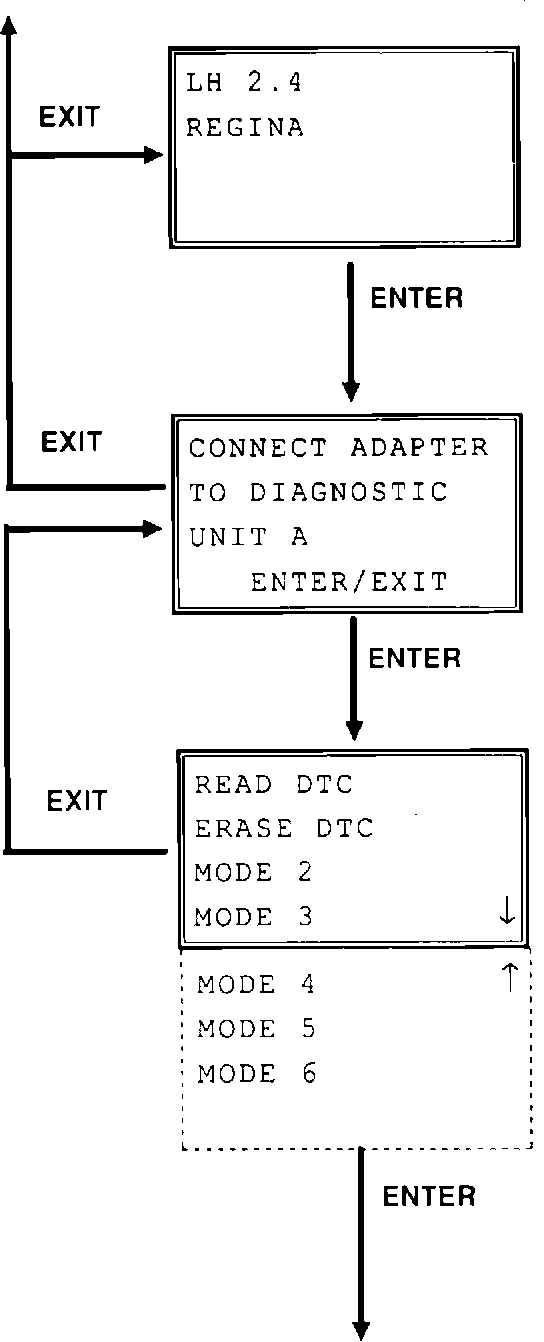
Select system type (certain models only)
Systems of different types are used in some models. Additional menu which enables particular systems to be selected is displayed in such instances.
Use arrow keys to move cursor.
(Example shows menu for 740)
D1
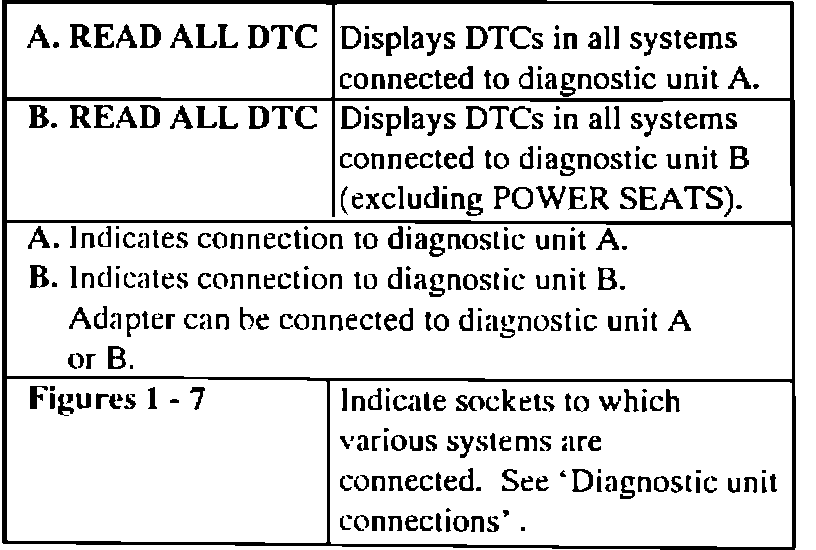
Information regarding diagnostic unit Indicates diagnostic unit (A or B) to which adapter must be connected. Connect adapter to appropriate unit. Press ENTER.
E1
Menu for selecting test mode Use arrow keys to move cursor to required mode. Modes available depend on system selected in previous menu. (Example shows menu for Automatic Transmission)
Select system Use arrow keys to move cursor to appropriate system. Systems available depend on model selected from previous menu.
(Example shows menu for 850)